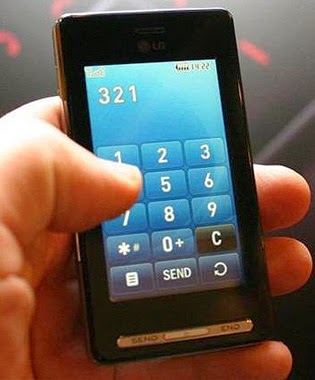
How To Download Youtube Videos On Your Smartphone.

By // 2 comments:
There are millions of videos available on Youtube.Youtube is the #1 video streaming site on earth. One can get videos to watch on every topic on youtube.
One great feature of youtube is that, it's mobile-friendly. You can browser through and watch popular videos on your Smartphone provided you have a good network connection.

Streaming a video on your smartphone can cause you much especially if you do not have a working data plan since it deals with sending and receiving over the  internet. It can also cause your phone to loose a considerable amount of battery as compared to watching the media content present on your phone.

Not until recently, many people thought it's never possible to download a youtube video on cell phone. Many even find it almost impossible downloading videos from youtube from their desktop browsers not to even talk of  cell phones.

We can't rely on streaming everyday, sometimes you need to watch a particular video over and over again or watch it later, hence the need to get it on your phone. But Youtube does not allow you to download videos from it's site therefore you need to rely on a video downloading app like TubeMate.


TubeMate Youtube Downloader provides you with two options, first to search for and  watch youtube videos using it's built-in browser and also to download a particular video of your choice for free.
TubeMate guarantees you faster video downloading, pause and resume an ongoing download in case your have a weaker connection or running out of  battery/data bundle.
Further, it offers background downloading so you can return to other tasks whiles your video is being downloaded.
After you finish downloading a video, you can share it on Twitter, Google Buzz or through E-mail.
Download TubeMate HERE.

NOTE: TubeMate is not available on the Play Store but can be downloaded and installed as a third party application.

Your Turn:
If you like this post, Share it to your favorite social network so friends and family can benefit as well. Use the social buttons below.

Microsoft Lumia 535 Review, Features & Price.

By // No comments:

Microsoft Lumia 535 bring the bells and whistle of Windows 8.1 in your hands. It is the first Microsoft branded Lumia Phone. It is a mid-range Smartphone designed for budget-oriented folks, people who want to spend less but want to have a feel of Windows 8.1. It's curvy edges gives  a charming fell inside of your hands. It comes in single Sim with a optional Dual Sim with which you can have one Sim for private use and the other for business. It's available in White, Black, Gray, Green, Orange and Blue colours.

DISPLAY

It's fitted with a 5" display with a resolution o f 540 * 960 pixels gives a more comfortable usage experience. protecting it is a corning Gorilla Glass 3 and has a pleasant and rather accurate colour production.

CAMERA

The Lumia 535 is fitted with a 5 MP shooter with auto-focus and LED flash at the back. It's 5 MP front camera gives selfie lovers more freedom to take more selfies. The Lumia Selfie App also has various filters and editing options to help create an avatar of yourself.

PROCESSOR & STORAGE

Powering the Lumia 535 is a 1.2 GHz Qualcomm Snapgron 200 processor coupled with 1 GB RAM. It's 8 GB of internal memory gives you more space to store thousands of photos and videos. If that's still not enough, you can expand the storage to up to 128 GB via a Micro SD.

CONNECTIVITY

The Microsoft Lumia 535 comes in both single SIM and dual SIM versions. Both models support quad-band GSM and dual-band 3G networks. The SIM card slots are of the micro-SIM variety, while none of the models offer SIM card hot-swapping.
Other features include Bluetooth 4.0, Wi-Fi, GPS with GLONASS, and an FM radio. There is also a microUSB 2.0 port for charging and data connections.

BATTERY

The Lumia 535 is equipped with a 1905 mAH battery that can take you a couple of days on normal usage. Windows phones have a battery saving mode which helps extend your battery life even longer.
Officially, the battery take you up to 11 hours of talk time and 23 days on standby on a single charge.

PRICE IN GHANA

Lumia 535 sells between GH¢ 450 - GH¢ 500 at any mobile phone retail outlet in Ghana.

Your Turn:
If you like this post, Share it to your favorite social network so friends and family can benefit as well. Use the social buttons below.

Google Now Helps You Find The Android Phone That Matches You.

By // No comments:


There are numerous Andoid Phones out there. Quite innumerabe are released everyweek. They come in different brands with many features and offered at various budgets.
With a wide variety of Android powered phones in the market, many smartphone buyers usually find it difficult choosing the right handset among the numerous ones.
In view of this, Google launched the Which Phone Tool that helps users to choose the right Android phone based on their likes and interests. This tool is designed for new Smartphone users and those who know next to nothing about smartphones.

Once you visit the site, you will be taken through a little survey as to what you intend using your new Android for: gaming, taking photos? it' up to you to decide.

On this screen, you are shown a lot of interest to choose from. You can choose as many as you like but you have to choose one first and then proceed to the next step.


On the results page, you will see a list of smartphones you may like that matches your needs and provide for all the options you chose earlier.

That's not all. You still have an option to choose your prefered carrier, the phone size you want and the price range you can afford. After making these changes, a new set of Smartphones you may like appears on the screen.

Your Turn:
If you like this post, Share it to your favorite social network so friends and family can read as well. Use the social buttons below.


Best 5 Power Banks To Buy Below GH¢ 100.

By // 8 comments:
Power Banks are a perfect solution for your power problems. When using a power bank, you need not worry about your battery dying out and missing an important update, text, or call as it can charge up your phone whiles on the go.
Most power banks are universal and can give full power to any gadgets be it Smartphone, tablet, music players, game devices etc. They are also easy to use, carry and often have an LED flash light.
They are offered at various prices depending on their capacity, brand and the sellers. The following are the best you can get below GH¢ 100 on kaymu, an online retail store.

PINENG POWER BANK

The pineng backup power is packed with a whole lot of features including an intelligent voltage recogniser that automatically detects the voltage of any gadget and a built in LED light. You're never alone in the dark.
It has a battery capasity of 10000 mAh that takes 5-6 hours to get fully charged.
Also, it  comes with 2 USB ports with which you can charge 2 devices at the same time. The power bank is compatible with any phone, tablet, game devices, digital cameras etc. and you can get it for as low as GH¢ 100.
Buy the Pineng power bank HERE.

PULLER POWER BANK

Puller power bank comes with multiple cables for different devices. It has a 7000 mAh battery which takes up to 4 hours to fully charge. It can also take you up to 3 months on standby.
Puller power bank comes in champagne gold, black, tinquire and blue colours. It's priced at GH¢ 90.

Buy the Puller power bank HERE.


SAMSUNG POWER BANK

There are several of Samsung power banks in the market. They have different features and are tagged at different prices. The one in focus has 2 USB ports, and LED power display and light.
It takes 5-7 hours to fully charge it's 8400 mAh battery. It is capable of giving power to all smartphones, tablets, camera's etc.
It is available in white, blue, pink, yellow and green colours for GH¢ 70.

Buy the Samsung power bank HERE.


PANTHER POWER BANK

The panther power bank has a battery of 7800 mAh. Plus it has built-in mini torch light.
Again, it's equipped with high efficiency power conversion and electricity saving function. It has also an automatic power output adjustment feature that increase and decrease it's output to match your device's input. You can get it for GH¢ 67 cedis.

 Buy the Panther power bank HERE.


POWER BANK

Power Bank external battery is a multifunctional digital charger for all electronic devices. It's battery has a capacity of 2600 mAh. Plus, it has an intelligent identification chips that are able to identify different kinds of digital products' voltage and electric current reaching the device. It has one USB port and a key chain.
It sells at GH¢ 30.               

Buy Power Bank's power bank HERE.      


 Your Turn:
If you like this post, Share it to your favorite social network so friends and family can read as well. Use the social buttons below.

Youtube Explained; All You Need To Know.

By // 1 comment:


Youtube is the second most visited site on earth. It is most popular for posting and watching videos online. Millions of people worldwide use youtube to watch videos everyday.

There are millions of videos created on any topic to watch on youtube. All you need to do is to search for the topic(s) that interests you and there will be lot's of videos to watch on them.
The popular video sharing site can be used by virtually anyone, the young and old. One can easily upload a home made movie style clip to youtube. The clip can be watched by everyone worldwide, tagged, commented upon and shared on popular sites like facebook and twitter among others.

Take a look at this screenshot.


 When I searched for the keyword "blogging", All the videos related to blogging showed up on my screen.

HOW TO USE YOUTUBE

One does not need an account to watch videos on youtube. All you have to do is to search topics in your interest and you'll have all the videos on your screen. There is a video on how to do anything. From eating cookies to putting on shoes. Just search for them.

Once you get the right video(s), you can watch it instantly free of charge. In addition, you can give your comments on that particular video, mark it as favorite to watch it later or share it on social sites.
If your words can't say it all, you can comment on a video with a short video.

IMPORTANCE OF YOUTUBE

  • Youtube gives individual access to millions of videos free of charge. Everyone is free to watch any video on youtube once it's been posted. You can even share a video with your friends using it's social share buttons.
  • It gives individuals a free platform to broadcast themselves. People can make short videos of themselves, upload it on youtube and get their message heared by millions people around the world.
  • It's a medium through which companies and other organizations can use to popularise their brands or products. You can make quality and mind grabbing videos about your product and share them on youtube. Viewers who watch these videos tend to go for those products if the like them.
  • Like a facebook page, you can also create and customise youtube channel; a home page for your brand. One a user visits your channel, he/she can have access to all your videos including those you posted many months and years ago.
  • Last but not the least, youtube supports many file formats; .MPEG4, AVI, MOV, WMV etc.

 Your Turn:
If you like this post, Share it to your favorite social network so friends and family can read as well. Use the social buttons below.

Tecno M6 Specifications, Features & Price.

By // 2 comments:

tecno m6


Tecno M6 is an incredibly thin and uniquely designed smartphone running on Android 4.4. Released in January 2015, Tecno M6 has dual Sim capacity with which you can have one Sim card for personal usage and the other for businesses, all on one phone. It also come pre-loaded with exciting apps like WhatsApp, Palmchat, Flashshare and Facebook not forgetting Google Apps. It just 7.9 mm thick with plastic cover available in Black, White and Silver colours respectively.

Let's see the detailed Features of the Tecno M6.

DETAILED SPECIFICATIONS

PLATFORM

Tecno M6 runs on Android 4.4 kik kat, powered by a 1.3 GHz quad-core Cortex A7 processor with a MediaTek MT 6582 chipset and Mali-400 MP2 A_U. You should be looking out for  faster multi-tasking and processing at a lighting speed.

DISPLAY

Tecno M6 comes with an IPS capasitive touch screen witha resolution of 480*854 pixels. It 5.0" display gives room for clearer pictures and more videos.

CAMERA

Fitted in Tecno M6 is an 8 MP rear camera with Geotagging, Panorama and Autofocus. One  can expect nothing but stunning photos. It has also a 2 MP front facing camera and an LED flash.

STORAGE

Just like Nokia Lumia 520, it also has an 8 GB capacity of internal storage. This gives space for lot's of Apps, Music, Pictures and Videos. Plus it has 1 GB of RAM and also a slot for Micro SD Card of up to 32 GB.

CONNECTIVITY

Similar to any other Smartphone, the M6 is equipped with WiFi, Bluetooth, GPS and many more.

PRICE IN GHANA

The M6 goes for GHS 437 on Jumia and between GHS 450 - GHS 500 at any other mobilephone retail outlet in the country.

Best 5 Android Games You Shoud Be Playing Now!!!

By // 1 comment:
We've been through a lot this week. Lot's of hardwork, stress, tiredness, pains and many more. So why don't we refresh ourselves with some game this weekend?
Playing games is not meant for kids only, it's for everybody. It can be a source of relaxation and temporary release of pain. Further, it helps you to release some stress and improve brain functioning. And more interesting, it's a source of fun.


# FIFA 15 ULTIMATE TEAM

I first saw a friend playing this game on his touch-only smartphone. I kept wondering how easy it will be to play a soccer game on a touch screen... I was curious. So I had to find out what type of game it was and also to give it a try. And I did.
It was FIFA 15 Ultimate Team. I need not explain the type of game it is. "FIFA" itself shoud tell you. It's the best I've ever come across. The  FIFA Ultimate Team has onboard over 10000 real football players from more than 500 clubs worldwide.
It also features real football stadiums and a superior graphic packed with 30 real football leagues ike the UEFA champions league, Spanish La Liga, and German Bundesliga to mention but a few.
Again if you think you are good at coaching, you can build your dream team and put your favourite players to test. Earn some money from matches, trade and buy superstars like Messi, Neymar and others to build your dream team. Don't forget to buy Me too. At least I can score 10 goals in match.


Download Fifa 15 Ultimate Team HERE.

# HILL CLIMB RACING

Unlike other racing games, Hill Climb Racing let's you battle your way through rough hills and obstacles to reach no where.
In this game, you take the place of Newton Bill. Or let's say you are a young and aspiring racer called Newton Bill. You're going to embark on a journey through the country side to the arctic, the cave to the desert, and a whole lot, to a place where no rider has ever reach.
Earn some coins to unlock new vehicles, stages and service your truck by upgrading the engine, tires, suspension and 4WD. Prove how good you're, share your score with friends on various social platforms.


Download Hill Climb Racing HERE.

# MARBLE LEGEND

Marble legend is a Zuma-like game with new looks and features. Just like Zumas Revenge, your primary task is to shoot to match 3 or more same  colored balls in order to destroy them.
Unlike using th emouse, the touch screen offers much faster and responsive input so you can crash the balls like IS whiles tapping the transmitter to switch between current and next balls.
This game is a good time waster.

Download Marble Legend HERE.
 

# POOL BILLIARDS PRO

Pool Billiards Pro brings Snooker to your Smartphone. It's touch-based input makes adjusting direction and controlling the stick much easier and faster. You can snook all alone in it's Single Player Mode or enter a 2 minute Challenge Mode or even a Practice mode for beginners.
You can also test your abilities by entering the VS mode to play with the computer to see who's best, You or the Computer.

Download Pool Billiard Pro HERE.


# GUN SHOOT WAR

The game that turns your Smartphone into a war zone. Gun Shoot War is an interesting first person shoot out game, easy to control, featuring you as the shooter. Your mission is to shoot, kill and destoy all your enemies whiles completing your tasks.
Your toil doesn't go in vain as you can earn some more gold coins whiles shooting at your enemies. With enought Gold Coins, you can buy new and better guns to make you more powerful. Whiles powerful, you can compete with other similar players around the world and share some more fun.

Download Gun Shoot War HERE.

That's all I have to share with you. If you know any other better than this, you can share with by commenting.

Your Turn:
If you like this post, Share it to your favorite social network so friends and family can read as well. Use the social buttons below.

How To Improve Your Typing Speed.

By // 1 comment:


Technology is reshaping the way  we do things. Everything we do now is gradually going digital. Going digital means making use of more computers than anything. Schools, hospitals, businesses, and even in entry level jobs to mention but a few, make use of computers for their various tasks. In these and other institutions, basic computer literacy is a key requirement for employment. Very soon if you don't have some computer skills, you will not even get employed as you will be regarded as outdated. Therefore you need to have some basic computer literacy skills to make you fit in the current system and the future.

One of the basic computer skills everyone should learn is to be able to type. Not just typing but Touch Typing. Touch Typing simply means being able to type with all 10 fingers without looking on the keyboard. Not even a glance.

In Ghana, basic computer literacy skills are thought in many Primary, Junior and Senior High Schools. Some students take it seriously whiles other don't. Those who don't tend to use one or two fingers to type and some even have to look for the right keys before pressing it. It's embarrassing when such persons find themselves in the midst of people and they are asked to type. If you're one of those who type with two fingers then you need a change now. Your should learn how to type for it's never too late.

You can be a good typist in a matter of days. It depends on your capabilities and seriousness. Constant practise will make you familiar with the keys. Again there are quite a number of computer programs that are designed to teach people how to type. Mavis Beacon Teaches Typing is a perfect example and also the most widely used. That was what I used to learn Touch Typing. It's designed in a way everybody can use: a beginner, intermediate or and advanced typist. It's also packed with interesting typing games to make your usage interesting.
In addition to a typing program, you should consider the following points too. It'll help you master the keys whiles improving your typing skills.

  • Don't  rush if you are a beginner in typing. It's doesn't take 10 minutes to be an advanced typist. You should practise  more, more and more as practise makes man perfect.
  • Don't look at the keyboard when typing. Not even a glance. Keep your eyes on the screen only. This will help you to master the keys quickly.
  • Stay focused to avoid making mistakes. You should work on your accuracy first. The typing speed increases as time goes on.
  • Take a break when you feel you're getting distracted easily and making lot's of mistakes. It's more productive to come back when you feel you're more refreshed.

Your Turn:

If you like this post, Share it to your favorite social network so friends and family can read as well. Use the social buttons below.

Best Online Translators You Can Use.

By // No comments:


The  world is becoming more and more of a global village. People travel to different places across the globe for business, leisure or to explore those parts of the world. There or even in your home country, you get to meet different people from different walks of life. Some will not be able to speak your language and vice versa, but you still need to interact with each other, hence the need for a translator.

Being able to understand other language(s) will be a plus to you as you'll be able to interact with someone who cannot speak your language. He could be a friend, family or a business partner.
Again it makes you more diverse as you get to learn about different people and cultures and also the poster you saw when walking on the streets of Berlin or you can even order and Indian food in a foreign country.

Some years back, if you want to understand the meaning of a word or sentence  written in another language, you'll have to look for somebody who understands that language which is mostly difficult and time wasting not forgetting the cost if he/she appears to charge you. With the advancement in technology, things have changed a lot. There are now websites that provide translation services in many languages to individual and businesses most of which are for free. I bring to you below, the Best Five among them.

IM  TRANSLATOR

IM Translator is an online translation tool that offers free translation services to everyone to connect with friends, colleagues and business partners.
IM has a large collection of tools designed to give you a much better translation service like the dictionary, spell checker that delivers full featured high quality spell checking for accurate input of information in English, French, German and other languages, an on-screen keyboard, print and other cool features. You should give IM  a try, I can't say all.


FREE TRANSLATION

SDL FreeTranslation is an online resource that enable individuals and businesses to translate websites, documents ( of up to 5MB) and texts from and to any language for variety of needs.If you don't want the automatic/computer translation, you can go for it's Human Translator Services where a professional translator will be assigned to you to help you to translate texts or documents for a fee.

GOOGLE TRANSLATE

Google Translate is the most familiar online translator in the world. Everything Google is well known. It has clear and easy to use interface and offers translation services in almost every language. Google translate still lacks some cool features found in other translation websites.

BING TRANSLATOR

Powered by Microsoft, Bing translator also provides efficient spell out of words from one language to another. It has a much cleaner interface and offers translation services in 51 languages for free.

WORLD LINGO

Worldlingo is a free online translator that offers free conversion of websites, texts and documents from one language to another. Wordlingo also has an advanced option to personalise your translation, print and clear your translate history.


Your Turn:

If you like this post, Share it to your favorite social network so friends and family can read as well. Use the social buttons below.


Rlg Fusion Ignite 2 Specifications, Features & Price.

By // 1 comment:


I love to talk about smartphones and Rlg phones are one of my favourite. After reviewing Uhuru Pro and Viva Ex, I came across the Fusion Ignite 2 which stole my heart.
The Fusion Ignite 2 is a dual sim android powered phone with great features tailor-made to ignite the smartphone experience in you. It's born out of years spent on research and development that intends to reaffirm Rlg product's quality and competetiveness in the market.
The Fusion Ignite 2 is just 9.6mm thick and weighs about 100g.

See the Specs below.

DETAILED SPECIFICATIONS

PLATFORM

It runs on Android OS V4.2 and powered by a 1.2 GHz processor with a MediaTek MTK6598 chipset that combines your phones best features like graphics, memory and battery to turn your phonen into a small miracle.

DISPLAY

The Fusion Ignite 2 is fitted with a TFT capasitive touchscreen witha resolution of 1280*720 pixels. It's 4.7" HD touchscreen also has multitouch capasities.

CAMERA

If you love taking quality pictures, consider Fusion Ignite 2 as a choice of smartphone. With it's 8.0 MP camera + autofocus, one would get nothing but brilliant photographs. It also has a flashlight for clearer night pictures.

STORAGE

It has 4G internal storage capasity and 1 GB of RAM. It has also a slot for SD Cards of up to 32 GB.

CONNECTIVITY

Like many other Smart phones, Fusion Ignite2 is equipped with Bluetooth, WiFi, GPS, Stereo FM and many more.

BATTERY

Long lasting ability of a battery mostly depends on usage. Fusion Ignite 2's battery can take you up 250 hours on standby and 5-6 hours of talktime.

The Fusion Ignite 2 sells at 430 GHS cedis at Rlg Stores and between GHS 450-500 at any other mobile phone retail outlet in the country.

Best 5 Android Apps Every Student Must Get.

By // No comments:

Android is a great OS with interesting features. More  than 50% of Smartphones are Android powered. And most smartphone using students use Android.
There are lot's of educational apps available for Android phones but many are those who are not aware. People thought Android was developed for social networking and gaming, it has it's educational capabilities too.
Every student should make the most out of his smartphone not just for social networking but for something beneficial. Remember you wouldn't be thought everything in the classroom so is there a need for each student to read further.

We all know how addictive we are to our smartphones. So why don't we use them to improve our academics? since there are lots of Apps available in the Play Store. There is an App for every thing unless you feel too lazy to search for them. We shouldn't be fond of playing games and facebooking only on our phones. Let's make a better use of them. Below I bring to you 5 Must Get Android Apps For Every Student.


ELEVATE

Elevate
The first on my list is Elevate. Every student needs to be smart. Each should have good communication and analytical skill to fit in this smart world. Elevate is a cognitive training tool designed to boost communication and analytical skills among individuals. In short, it's a brain trainer. Elevate works through a personalised training program aimed at improving an individual's focus, speaking skills, processing speed and maths skill plus many others. It records detailed information of your usage so you can see your performance and the skill you need to work on.
All work and No Play makes Jack a Dull Boy. Elevate doesn't want you to be dull so it has 25+ selected games to keep your brain refreshed  whiles boosting your memory, precision, focus, maths and comprehension abilities.

Download Elevate for your phone here.


MERRIAM-WEBSTER

Another great tool each student should have on his smartphone is the Merriam Webster. Merriam Webster is a free dictionary app that aids you to find the meaning of words whiles on the go. Unlike many dictionary apps, Merriam Webster needs no internet connection to give you a definition. It's an offline dictionary. Again, it has a voice search feature where you can "Speak For Meaning" (hope you get Me) without having to type.
It gives a definition along  with synonyms and example sentences. Learn a new word each day with it's Word of the Day feature.

Download Merriam-Webster for your phone here.


ENGLISH GRAMMAR TEST

How good are you at grammar? You shouldn't always be a victim of vernacular speaking. English as a core subject needs frequent reading and writing in order to pass your exams.You should not practise what you are thought only. When you're done with your english lessons, you can take some a test or two with English Grammar Test, an application that helps you to improve your knowledge in grammar. It has 600 built in English Grammar exercises arranged in 30 test to undertake to determine your strength in English Grammar.
The best  part of the app is that when you complete a test, it'll show you those part of Grammar you did well and the parts you need an improvement. Also, when you make a mistake, the app explains why your answer is incorrect. You also get to see your score in every test to take.

Download English Grammar Test here.


MATHS WORKOUT

Most students I know claim to be afraid of maths.But maths is not a monster. It cannot eat you up. Before you become good at anything you need to do it over and over again. Practising maths has never been so interesting as it is with Maths Workout . Maths Workout is a unique brain polishing app that enhances your mental arithmetic skills. It takes you through a series of games and quizzes in various aspects of mathematics to keep your brain active and alert so you can make complicated calculations with ease. Be smarter than the others.

Download Maths Workout here.


SCIENCE QUESTIONS & ANSWERS


How about going through some science Q&A's ahead of exam?
Sounds great right? Then get the Science Q&A app today. Battle against 1000 selected science questions relating to physics, chemistry, biology and general science.
Solve scientific problems like Albert Einstein, try the App today.

Download Science Questions & Answers here.


Your Turn:

If you like this post, Share it to your favorite social network so friends and family can read as well. Use the social buttons below.

Tired Of Seeing "Certificate Errors"? Fix them In 3 Steps.

By // No comments:


Seeing a "Certificate Error" on your screen when you try opening a web page can be very frustrating. I hate seeing those Monsters but they appear on my screen and many others' screen too. 

"Certificate Error" notification do come on your computer screen as a result of incorrect Date and Time Settings on your computer or if the Digital Certificate cannot be verified by a third-party certificate authority.
You can fix this simply by changing the Date & Time settings on your computer.

HOW TO CHANGE YOUR DATE & TIME SETTINGS ON YOUR PC.


  1. Double Click on the "Windows Clock" in the Notification Area at the end of the Task Bar.
  2. Click the Date & Time tab to access your Date & Time Settings.
  3. Correct the Date on the calendar that displays and Click on the Hour and Minute entries and input the correct time.
Apply the new settings and click Save. Now restart your browser to see the new changes. 


Your Turn:

If you like this post, Share it to your favorite social network so friends and family can read as well. Use the social buttons below.

How To Hard Reset A Windows Phone.

By // No comments:


I never learnt how to do this until my Lumia 521 fucked up. I forgot the password I've been using for so long. It quickly disappeared in My mine like Ghosts in Merlin.

After trying multiple times inputting what I thought was My password, the phone locked itself for 4 minutes. Four minutes came by and still I couldn't remember so it  gave Me 8, then 12, 16... and to My surprise 564 minutes to remember my password. That's more than 9 hours. I became very disturbed but I prayed for protection and went to bed.

The next morning, I tried again and again but to no avail so I said to Myself
I must find a way to end this.
Then I took the hard decision, I should hard reset it. So I went online for tips. I was warned that when I do a hard reset, My device's content will be erased and the phone will be as empty as it was just brought out from the factory. But a poor boy like Me had no choice. I had to, not withstanding the fact that My that my Apps, Games, Phonebook, those memorable Pictures... oohh! were all gonna disappear like cloud.  I did and then prayed for strength and moved on with life.

Going back  to the topic, let's see how to Reset a Windows Phone.

HOW TO HARD RESET A WINDOWS PHONE.


Go to Settings in your App list then >> About >> Reset your phone.

You'll be warned twice. If you still want to restore your phone to its factory settings, tap Yes, and then tap Yes again.
It might take a little while for the process to complete.

Also if your Windows Phone is unresponsive or you cant even access the device's Settings, then try doing it using the hardware buttons.

Press and hold the Volume down and Power buttons at the same time until you feel a vibration.

When you feel the vibration, immediately press and hold the Volume down  button until you see a large exclamation mark.

Once the exclamation mark appears, press the following four buttons in this order:
Volume up >> Volume down >> Power >> Volume down .
Your phone should now reset and restart itself.
(It might take a while for the reset to finish.)


Your Turn:

If you like this post, Share it to your favorite social network so friends and family can read as well. Use the social buttons below.


How To Turn Your Smartphone Into A Wi-Fi Hotspot.

By // No comments:
Wireless Local Area Network or Wi-Fi as popularly known allows electronic device to share connections between themselves. Devices such as Laptops, Tablets, Smartphones can use wi-fi to connect to the internet throught a wi-fi hotspot.
Wi-Fi hotspots are not available in many places and if they are at a place, access to it may be limited to only a few people who have a password. In only a few places is wi-fi made public.

In view of this, many Smartphones now have built-in feature to create a portable Wi-Fi Hotspot on them. Once done, you can share your Smartphones internet data connection with your laptop, wi-fi only Tablet and even with your friends. You can also give it out to other people for a fee.

Lets see how to turn your Android or Windows Phones into a Wi-Fi Hotspot.

On Android;

Go to Settings >> Wireless and Networks >> More >> Tethering and portable hotspot >> Turn on your Wi-Fi hotspot to share your connection with other devices.


To set it up on your Windows Phone go to Settings >> internet sharing and flip Sharing to On. Then on the next screen you can keep the default login credentials or change them to something easier to remember.


Your Turn:
If you like this post, Share it to your favorite social network so friends and family can read as well. Use the social buttons below.


Power Banks, an Altenative Power Source For Your Gadgets.

By // No comments:


The demand for smarter phones still soars. Everybody wants to communicate the modern way and so is the need for smart phones. Smart phones are designed to perform multiple tasks in short period and this require enough power to keep them running. But most of the time, we don't get to charge them  when we should as power outlet is not available everywhere you go.
Imagine you find yourself in the middle of no where and you need call or text someone to come to your rescue, and your phone's battery dies out? Helpless..`

To help prevent a situation like these, Power Banks emerged came to sight. A Power bank is essentially an external battery in a sealed case. It's designed to give your phone additional power when you need it urgently. It's perfect for people who travel a lot.

Most Power banks are capable of doubling or even tripling your phone's or tablet's battery life depending on it's capacity. Again, you don't have to leave your phone on the counter or sit in the car to charge, recharge whiles you use your phone with a Power bank.


Modern Power banks have USB ports and Flashlights you can use to brighten up the place when power is out. Attach a USB cable to the Power bank and it's ready to charge any of your devices be it MP3, Tablet, MP4, Smart phone, etc.

Power banks like any other mobile phone battery requires to be charged too. Some are charged via flip-out blades for plugging into the wall socket. Others too, you connect their USB cables to a source like laptop to charge the bank. And the ones I like most are solar powered, they are ever ready to charge your devices as long as the sun shines. Power banks are small and portable. You can carry them in your purse/pocket to anywhere to solve life's little problem.

Will you go for a Power bank as a backup power for your smart phone/tablet in this times of Dumsor?


Your Turn:

If you like this post, Share it to your favorite social network so friends and family can read as well. Use the social buttons below.

How To Fix Touch Screen Problems On Your Smartphone.

By // No comments:


Touch screens are becoming more and more popular replacing the physical keyboards on mobile phones. Nowadays everyone is going the smart way and hence the rise in demand for smartphones. And 80% of smartphones are touch based.
The touch screen serves as the only mode of input on these phones. Touch based phones have much larger screens as compared to those with keypads. The screen gives the user enough room to display bigger and clearer images and videos.

The touch operates by being  able to sense the section of the screen being touch and they can figure out what actions to take from there. It also offers it's users a much faster mode of input and  ease of use. Even kids are able to use the touch screen, and they love to.
But like any other man-made device, the touch screen may refuse to function along the way. A little hardware or software changes may cause it to malfunction. Even dirt too, it can accumulate on the screen and can affect the sensors causing it to be unresponsive.

So if the touch-screen of your phone refuses to take command, some parts work whiles other do not or it displays a different results when you issue a command, the first thing to do is to wipe off any dirt on the screen with a very clean piece of cloth. Many devices with touch screens come with cleaning cloths that are safe to use and won't damage the screen. Please do it gently to prevent the screen from further cracking.
If the problem still persists, try any of the following:

  • Turn off the device. Wait for about 10 seconds and turn it back on again. Powering the phone off can solve minor software flaws.
  • Power off the phone and remove both the SIM and Memory card and then power it on again.
  • Manually calibrate your screen. Calibrating your screen is necessary when your touch screen responds inaccurate or erratic.If your are using an Android phone;
Go to Menu > Settings >Language and Keyboard > Touch Input > Calibrate.

On Windows;
Tap "Window" button > Applications > Settings > System > Screen > Tap "Align Screen"  to begin the calibration. Tap the screen as directed by the utility to calibrate.


Your Turn:
If you like this post, Share it to your favorite social network so friends and family can read as well. Use the social buttons below.
 

Psychiatrist and The Sytem Admin. | Joke.

By // No comments:


A psychiatrist had no patients in his office and he was bored. Suddenly , the door opened slowly and a man crept into the room on four legs. His mouth was full with pieces of colored plastic. He was holding strange objects in his hands. He was dragging cables along behind himself. The doctor was glad because of the visit and exclaimed, "And what do we have here, a little snake? Come to Uncle Doctor, my snake..." The man shook his head. "Oh, sorry, I didn't notice your legs. You're a dragon, right?" The man shook his head again angrily. "Sorry... a worm?" The visitor spitted out the plastic pieces. "Go to hell, you idiot! I'm the system administrator and I came to change your LAN cable!"

Full Credit: Unijokes.com

Your Turn:
If you like this post, Share it to your favorite social network so friends and family can read as well. Use the social buttons below.


You Can Now Download Your Entire Google Search History. See How To >>.

By // No comments:


Google Search as we all know is the most used search engine in the whole world. Google;s popularity cannot be weighed with that of it's competitors.
Personally, Google.com.gh was the first webpage I visited the very first day I used the internet. It even got to a time when you ask a friend a question, He/She replies "Ask Google".

Anytime you search on the web, your browser keeps record of your search history so you revisit a particular page any other time, unless you clear them all. Interestingly, Google keeps record of your search activities on the internet too. And now, it allows you to download a copy of your entire web search history to a desktop. This aids you to have access to your data when you want, where you want. Let's see how to do it.

HOW TO DOWNLOAD YOUR  ENTIRE GOOGLE SEARCH HISTORY

  • Go to your Google Web History. (You'll need to log in to your Google account).
  • Once logged in, click the gear icon on the top right corner and select "download."
  • A box will pop up that says "Please read this carefully, it's not the usual yada yada."


It warns users that the data contains sensitive information and it's important to store it securely. If you decide to download the information, hit "create archive."

  •  You'll get an email confirmation that includes a link to the data. The data are stored in your Google Drive in "Takeout folders," which can be downloaded to a desktop. 
It's not the same as deleting
Downloading a user's Google search history does not delete it. If an individual wants to delete his or her Web search history, Google offers steps on its support site to control what is saved.
If an individual does decide to delete information, the data will no longer be linked to his or her account, but it may be saved by the company "to prevent spam and abuse and to improve our services," according to Google. 


Your Turn:
If you like this post, Share it to your favorite social network so friends and family can read as well. Use the social buttons below.
 

Nokia X Specifications, Features and Price in Ghana.

By // 2 comments:


Many are those who used to wonder whether Nokia was ever going to go Android. But the release of the Nokia X Series proved how diverse the company is.
The Nokia X Series is designed for Nokia sympathizers ( if I may say). People who do not want to leave Nokia maybe due to it's strong build up quality but also want to have a taste of Android.
The Nokia X is the youngest among Nokia X family, made up of X, X+ and XL all of which are Android powered. It's  a well built and budgeted smartphone designed for mid-range pockets.

The smartphone run on the Nokia X platform, an Android-based operating system. It comes with inbuilt social networking apps like Facebook, Twitter, BBM etc. plus many more you can download from Nokia Store as it has no place for Google's Play Store. Again, it does not support Google Apps like Gmail, Maps, Calender etc.
Powering the Nokia X is a dual core snapdragon S4 Play processor running at 1 GHz in addition to a 512 MB RAM and 4 GB internal storage capacity.
It also has a 4" multi touch screen display with a 3 MP shooter at the back. Let's see the detailed specifications below.

TECHNICAL SPECIFICATIONS


General

Release March 2014
OS Android 4.1
Dimension(L*W*H)(mm) 115.5 * 73.2 * 10.4
Weight 129 g
Sim type Dual SIM

Display

Type IPS LCD capacitive touchscreen, 16M colors
Size 4.0”
Resolution 480 x 800 pixels
Multitouch Yes

Camera

Primary 3.15 MP
Secondary NO
Flash NO

Sound

Alert types Vibration; MP3, WAV ringtones
Loudspeaker Yes
Earjack 3.5mm Stereo

Processor

CPU Quad-core 1 GHz Cortex-A5
GPU Adreno 203
Chipset Qualcomm MSM8225 Snapdragon S4 Play

Memory

Internal 4 GB
RAM 512 MB
MicroSD Yes, up to 32GB

Connectivity

Bluetooth v3.0
WLAN Wi-Fi 802.11 b/g/n, hotspot
USB microUSB v2.0
GPS Yes, with A-GPS
Radio Stereo FM radio

Battery

Type Li-Ion 1500 mAh battery
Standby Time Up to 408 h
Talk time Up to 13 h 20 min

The Nokia is available in Black, White, Red, Bright Green, Bright Red, Cyan and Yellow colors. It costs between  GH¢300 to GH¢400 at any mobile phone retail outlet in Ghana.


 Your Turn:
If you like this post, Share it to your favorite social network so friends and family can read as well. Use the social buttons below.
 

How To Use Google Search To Find Your Lost Phone.

By // No comments:
 

If this feature was available at that time, I would have used it to locate my phone which I lost in our room in school last year. That day was one of my darkest in school not because of what I lost but because it was a gift from My Mother to Me. So I cherished it so much. Coincidentally, I had an exam the next morning so I quickly forgot about the phone.

Many others like Me have misplaced their smartphones in one way or the other. Some are lucky to find theirs but in most cases, it's gone forever and ever. For many, it's not about the price at which they bought the phone but the files on them. The messages, contacts, personal pictures, videos ... and mention them. They are much more valuable than the phone itself.

Nowadays, finding your lost phone is simpler than ever. Android, Blackberry, iPhone and Windows Phones all have ways of tracking a lost device. In this post, the spotlight will be on an Android powered phone.
Google recently announced a new feature that allows people to use Google Search on a web browser to track their lost phones by typing the phrase " find my phone". This feature is part of Android Device Manager app that allows you to remotely control your phone's behaviour.
As long as you've logged in to your Google account on your phone, this feature will be at your service.

HOW TO USE  GOOGLE SEARCH TO FIND YOUR LOST PHONE.

  • Type "find my phone" in the search box of a web browser and ask Google to search for it.
  • The "find my phone" map  will appear at the top of Google's search results.
  • Clink on the map and verify your Google account with your password.
  • Once you've logged in, select the particular device that's no where to be found and leave the rest to google. It will search and show you the exact location of the phone.

Once known, you can call the phone prompting it to ring at the loudest volume for 5 minutes until found. You can silence the phone by pressing the power button when you find it.
Also if the phone is not nearby, you can remotely lock it or erase the phones data to prevent people from stealing it.

Always keep in mind that if the phone is off, not connected to a data network or wifi, this feature wouldn't work.


Your Turn:
If you like this post, Share it to your favorite social network so friends and family can benefit as well. Use the social buttons below.